






















Git 规范与最佳实践
Agenda
- 简介
- 基础命令
- 最佳实践
- 分⽀管理
- 深⼊ .git ⽬录
- 推荐⼯具
关于技术分享
- 通过分享可以更好的⾃我审视和学习。(费曼学习法之⼀)
- 希望⼤家能够以⼀种抛转引⽟的⼼态,通过分享去获取获取新的知识。
- 让跨团队可以在另⼀个主题下进⾏沟通和学习,促进跨团队交流。我们不能在
⼀个项⽬⾥成为战友,那么可以在⼀次技术分享会上成为朋友。
- 希望各位,不吝赐教,今后能够踊跃分享技术主题。
Git 简介
Git /git/ 是由 Linus Torvalds 也就是linux作者开发的。其实Contributer排名第⼀的是⼀个⽇本⼈叫做濱野純(From Google)。
Git 源于英语俚语,意思是 The stupid content tracker, 愚蠢的内容追踪器。
最开始被开发的时候主要是⽤于 Linux 内核开发的版本控制⼯具。
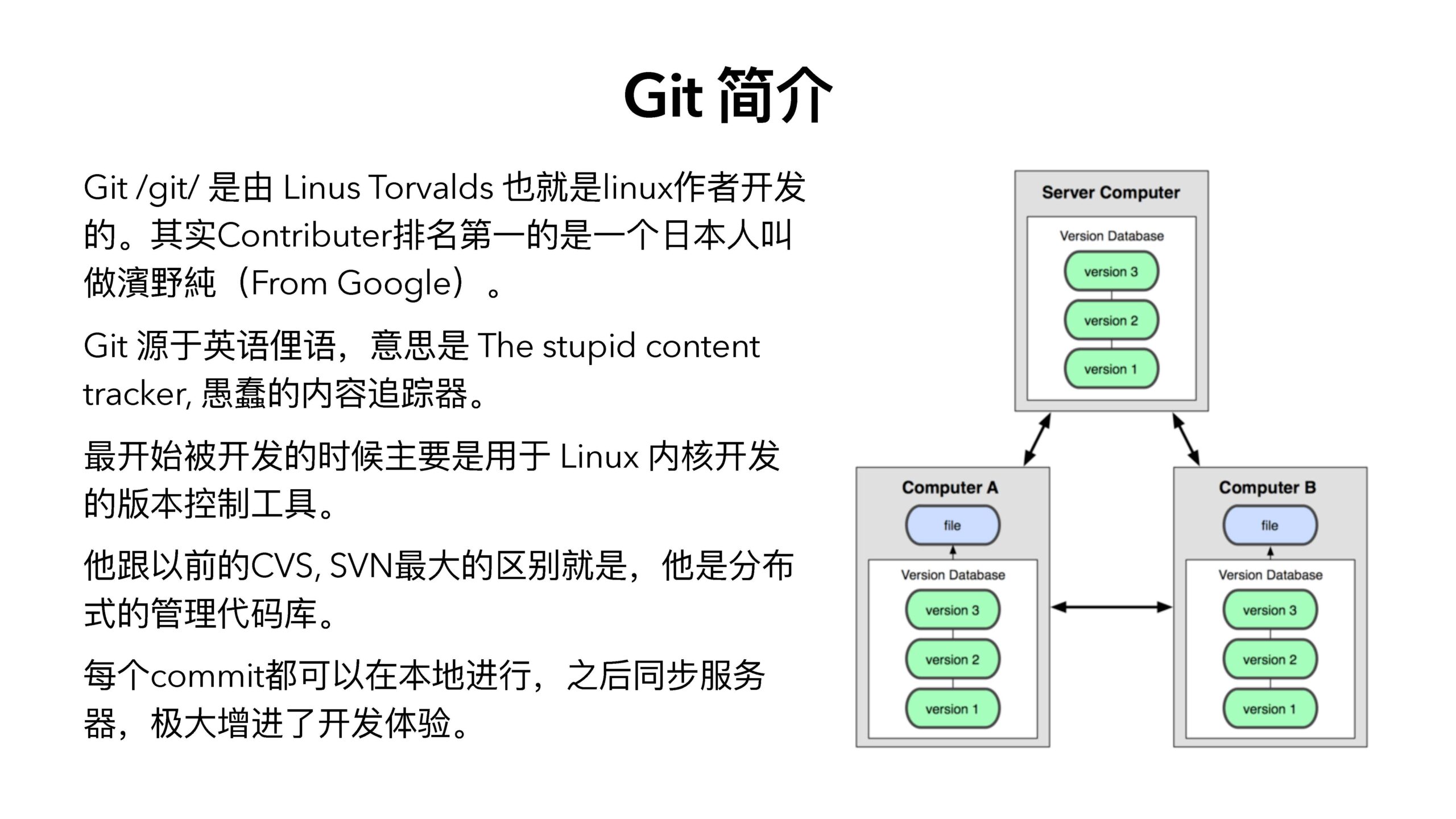
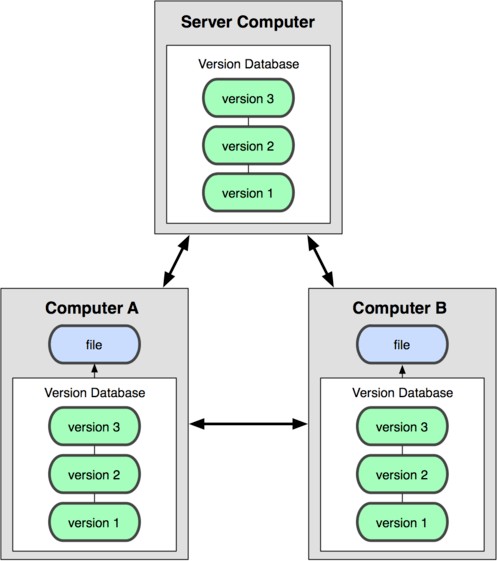
他跟以前的CVS, SVN最⼤的区别就是,他是分布式的管理代码库。
每个commit都可以在本地进⾏,之后同步服务器,极⼤增进了开发体验。

Git基础命令
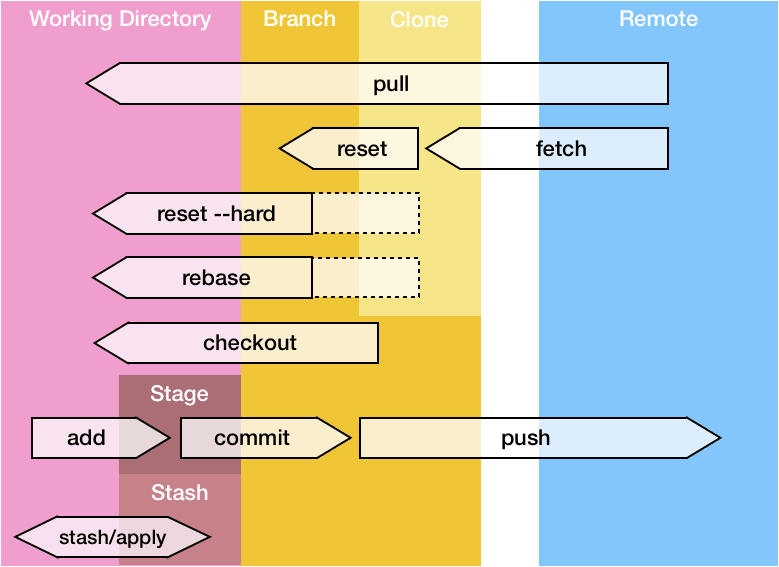
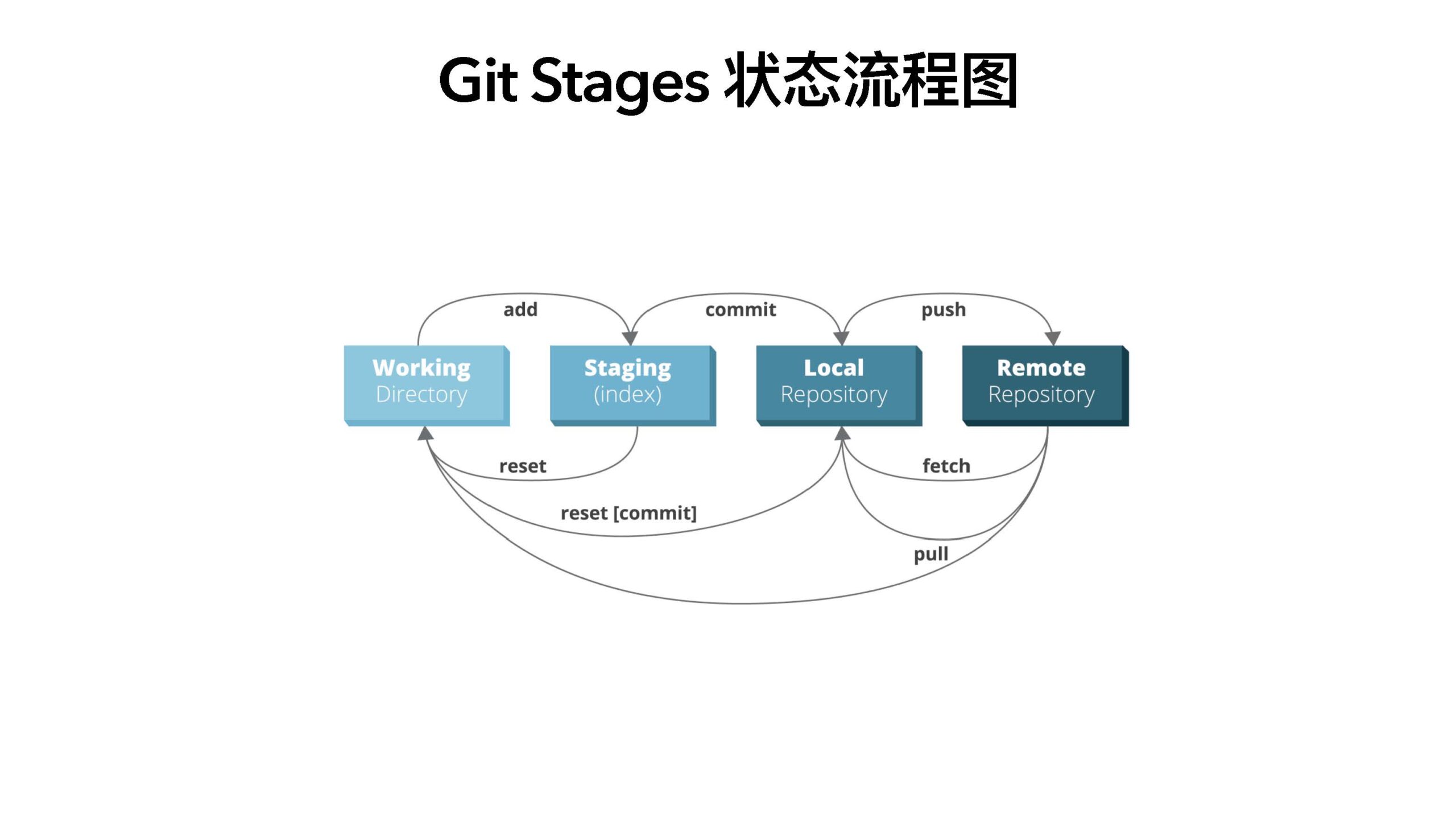
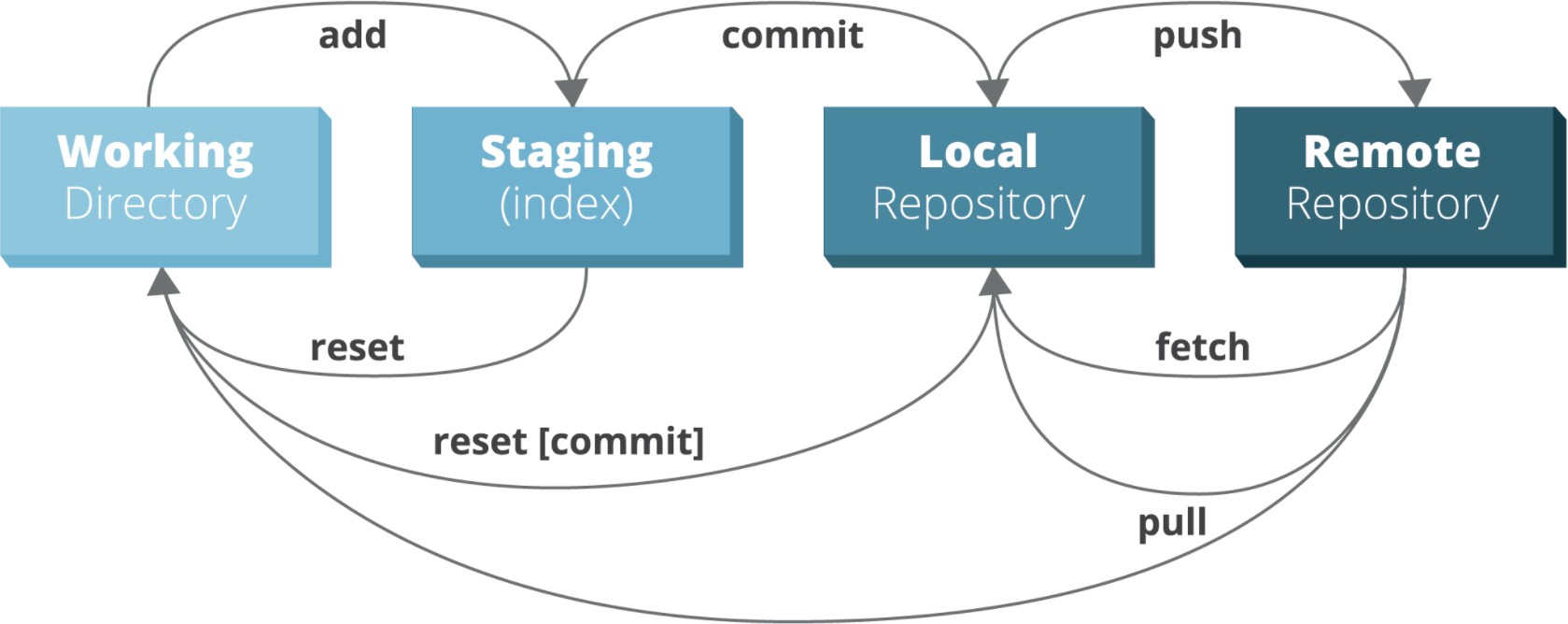
Git Stages 状态流程图
Git 创建
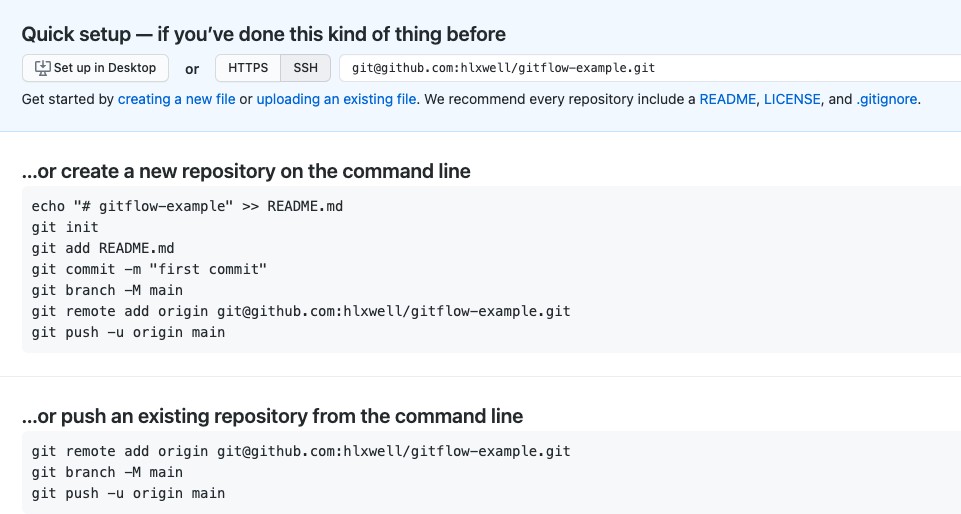
- Git init
- Git clone [url]
注意 https 和 ssh 的区别。https 使⽤ http basic auth 所有会要求每次都输⼊密码。
- 学会查看 man
- man git-[subcmd]
- git cmd ——help
- git help cmd
- Git fetch
Git Remote 管理
仅仅把 remote 服务器数据同步到本地的 remotes 下的分⽀。
git fetch -p 可以清理远程已删除的本地分⽀。
- Git pull [remote] [branch]
不加参数是把服务器上的所有分⽀下载到本地,加branch他会把 remote branch merge 到本地的branch。
git fetch && git merge branch origin/branch
- Git pull ——rebase
加了rebase以后,就等于 git fetch && git rebase branch origin/branch
- Git push [——force]
把本地所有的分⽀ push 到 remote. 等于 git push remote {branch1, branch2, …}
——force 的意思是,覆盖远程的分⽀,谨慎使⽤。
- Git push [remote] :branch
删除远程分⽀。
- Git remote add new-remote-name [url]
添加⼀个新的remote,常⽤于同步两个代码库的内容。
- Git status
Git Local 查看
查看当前working directory状态。包括增删改的⽂件。git status ——sb 简易版 status 并且显示分⽀。
- Git branch [—all]
查看本地所有的branch,如果加了--all 可以看到 remotes 的分⽀。
- Git diff
默认是查看 working directory 和 working branch 的 difference。也可以查看任意两个分⽀或者commit之间的差别。⽣成 Patch: git diff > xxx.patch, git apply xxx.patch
- Git blame
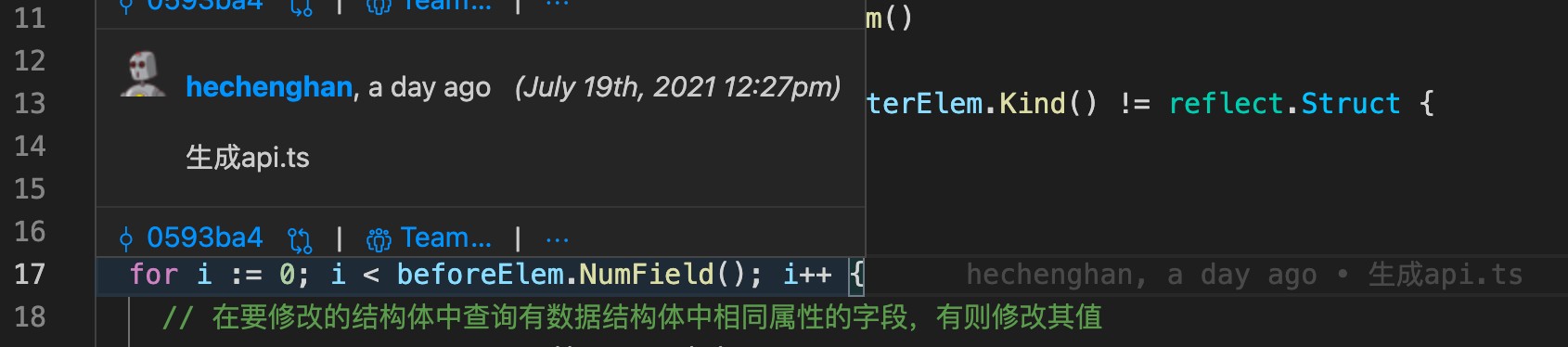
查看哪⾏代码是谁在哪个commit⾥⾯写的。
- Git show [commit]:[file]
查看⼀个 commit 内容,或者 commit 下某个⽂件的变更。
- Git log [file|folder]
查看commit log 或者具体⽂件夹或者⽂件的log。
可以利⽤ git log branch1..branch2 去查看两个分⽀的差别。
- Git shortlog -sn
查看建议压缩版的log,经常⽤于查看 contributer 提交数量。
Git commit 管理
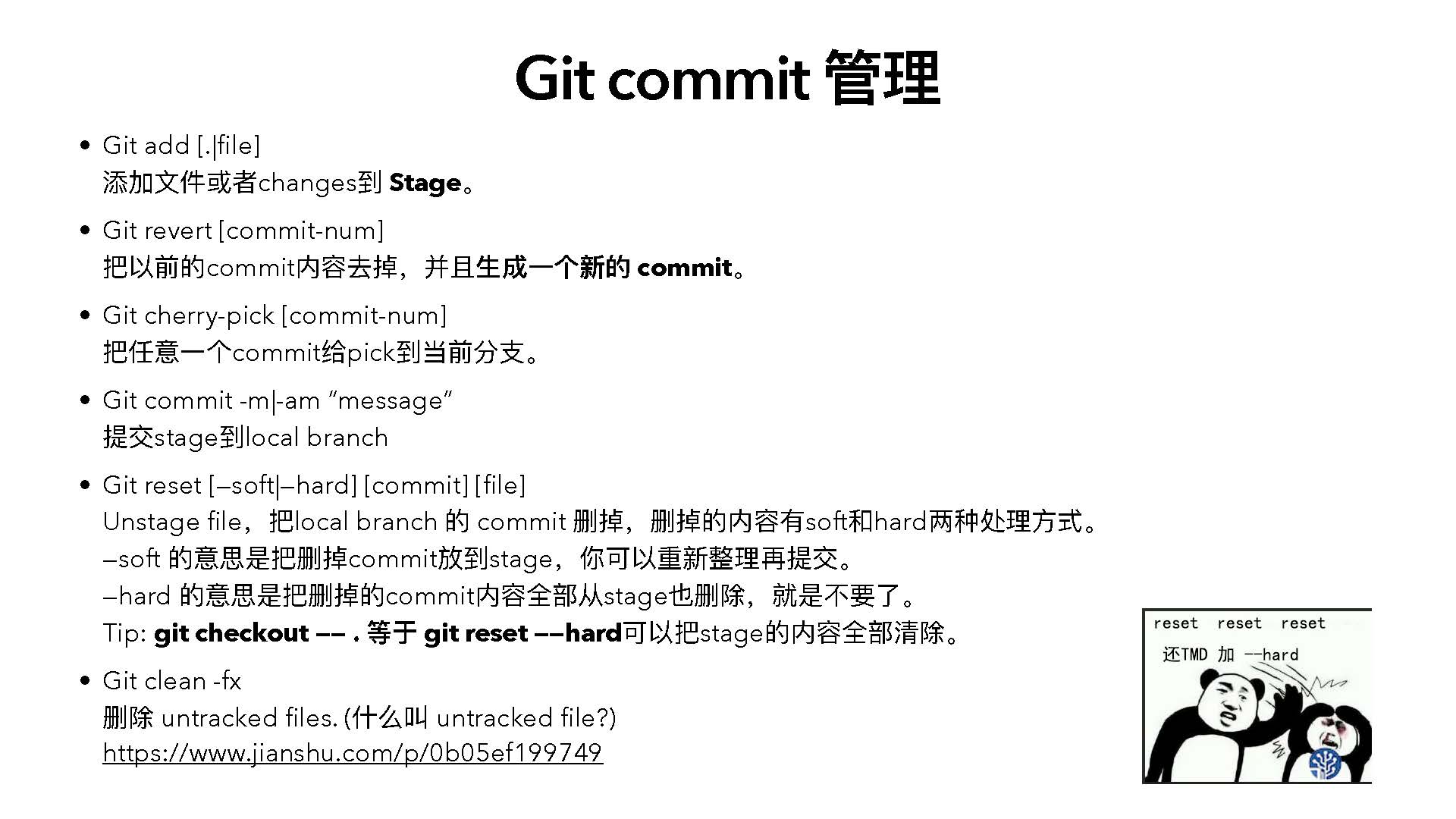
- Git add [.|file]
添加⽂件或者changes到 Stage。
- Git revert [commit-num]
把以前的commit内容去掉,并且⽣成⼀个新的 commit。
- Git cherry-pick [commit-num]
把任意⼀个commit给pick到当前分⽀。
- Git commit -m|-am “message”
提交stage到local branch
- Git reset [—soft|—hard] [commit] [file]
Unstage file,把local branch 的 commit 删掉,删掉的内容有soft和hard两种处理⽅式。
—soft 的意思是把删掉commit放到stage,你可以重新整理再提交。
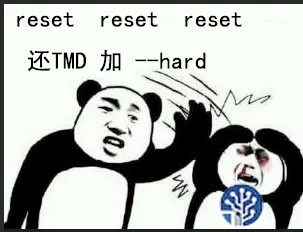
—hard 的意思是把删掉的commit内容全部从stage也删除,就是不要了。
Tip: git checkout —— . 等于 git reset ——hard可以把stage的内容全部清除。
- Git clean -fx
删除 untracked files. (什么叫 untracked file?)
https://www.jianshu.com/p/0b05ef199749
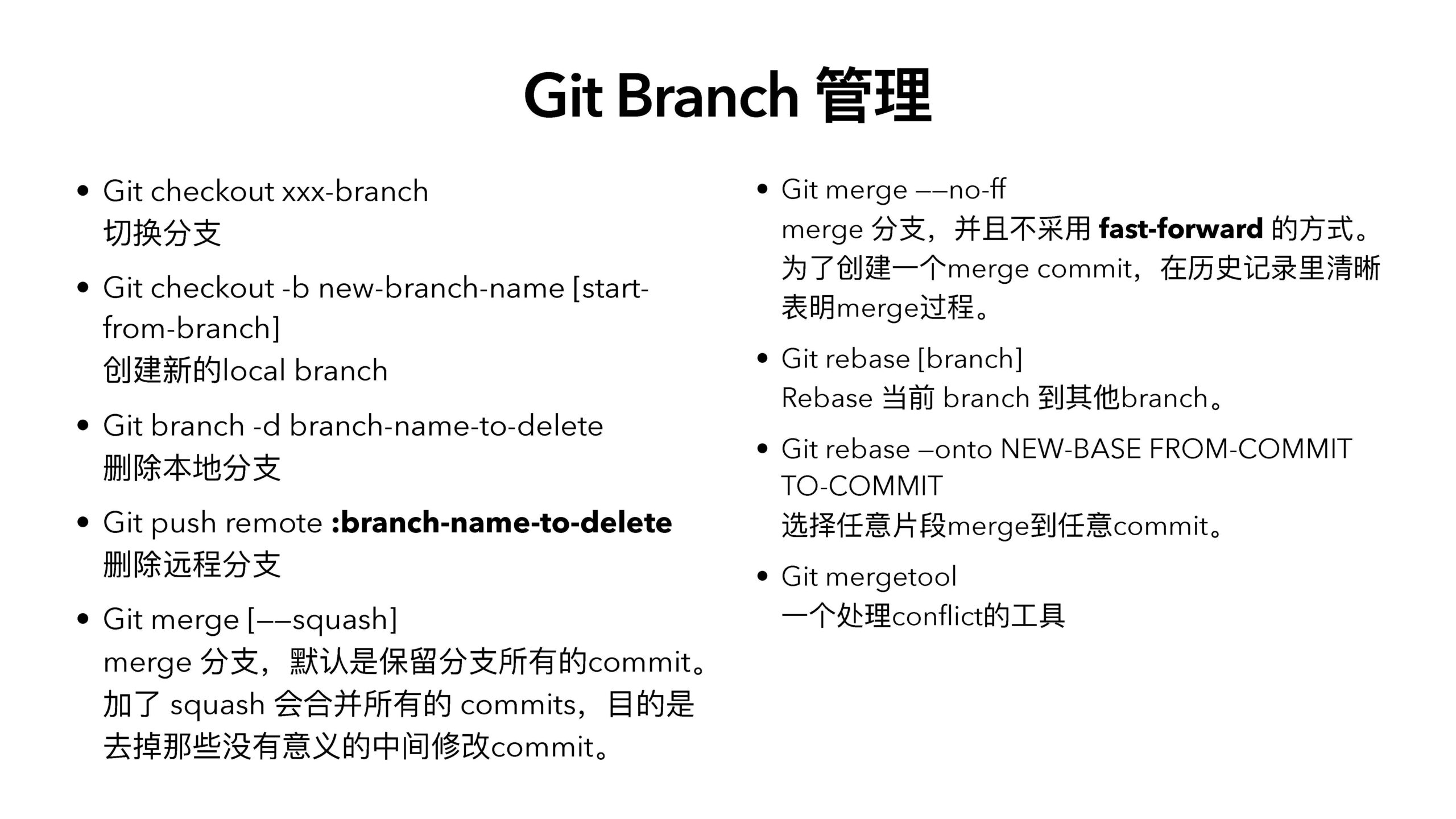
- Git checkout xxx-branch
切换分⽀
Git Branch 管理
- Git merge ——no-ff
merge 分⽀,并且不采⽤ fast-forward 的⽅式。
- Git checkout -b new-branch-name [start- from-branch]
创建新的local branch
- Git branch -d branch-name-to-delete
删除本地分⽀
- Git push remote :branch-name-to-delete
删除远程分⽀
- Git merge [——squash]
merge 分⽀,默认是保留分⽀所有的commit。加了 squash 会合并所有的 commits,⽬的是去掉那些没有意义的中间修改commit。
为了创建⼀个merge commit,在历史记录⾥清晰
表明merge过程。
- Git rebase [branch]
Rebase 当前 branch 到其他branch。
- Git rebase —onto NEW-BASE FROM-COMMIT TO-COMMIT
选择任意⽚段merge到任意commit。
- Git mergetool
⼀个处理conflict的⼯具
-
- Git stash
Git Stash 管理
Push所有work directory和stage的东⻄到stash。
-
- Git stash apply & Git stash pop
把最近⼀个stash恢复到work directory和stage,pop会删除stash,apply则不会。
-
- Git stash show [stash_id]
查看具体⼀个stash内容。
-
- Git stash list
查看历史stash。
-
- Git stash clear
删除所有stash。
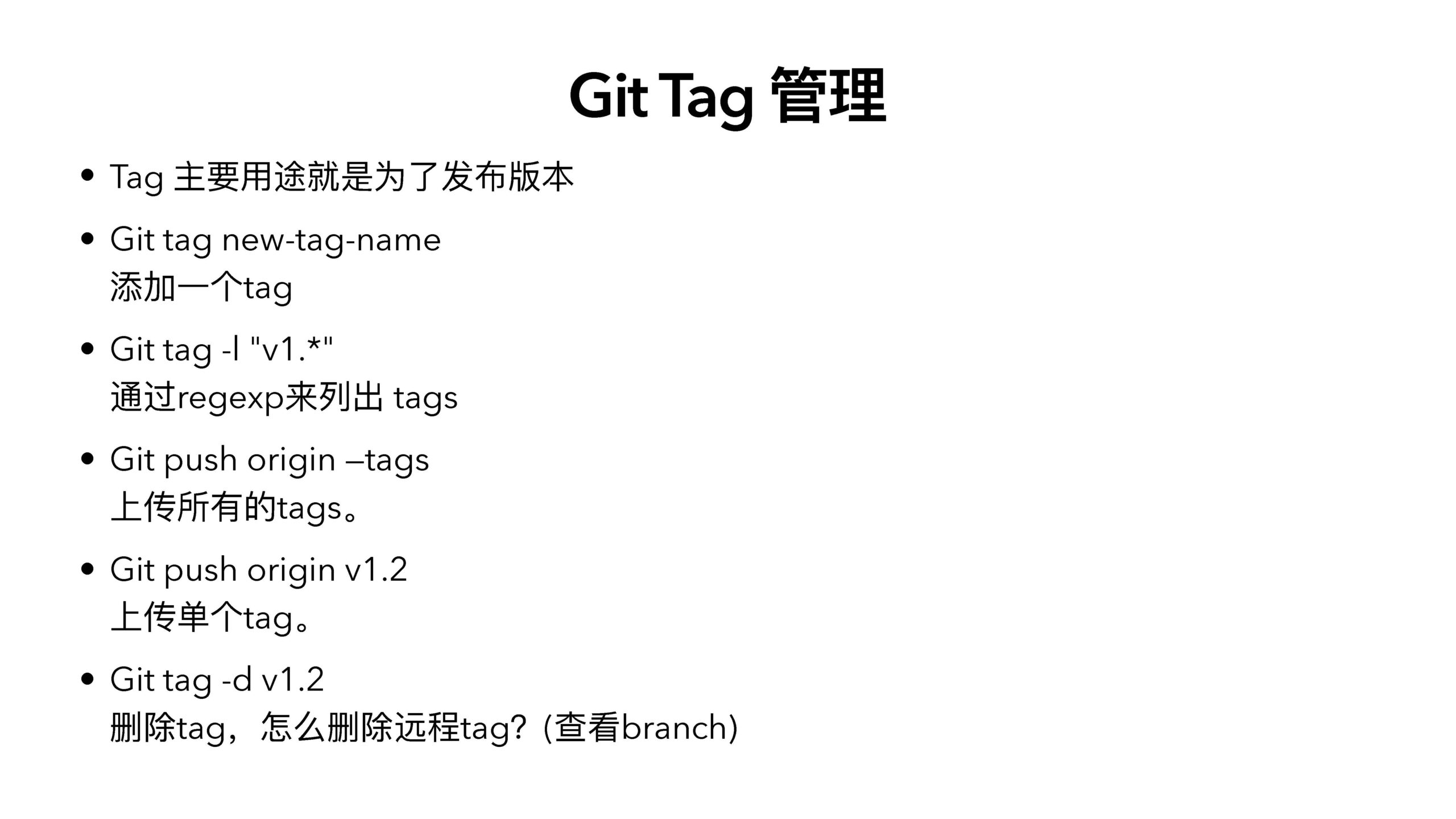
Git Tag 管理
-
- Tag 主要⽤途就是为了发布版本
- Git tag new-tag-name
添加⼀个tag
-
- Git tag -l "v1.*"
通过regexp来列出 tags
-
- Git push origin —tags
上传所有的tags。
-
- Git push origin v1.2
上传单个tag。
-
- Git tag -d v1.2
删除tag,怎么删除远程tag?(查看branch)
-
- HEAD
Git Revision
修订版本
当前本地分⽀的最新⼀个 commit.
HEAD^
HEAD的上⼀个commit
HEAD^^^ == HEAD^3
上上上⼀个版本
HEAD~1
当前本地分⽀的最新⼀个 commit.
HEAD~3
上上上⼀个版本

Are You Ready?
-
- 创建新的 git repo
- 创建 README.md
- 把 [⾃⼰名字.md] 放到项⽬⾥⾯来
- 在你名字的⽂件⾥⾯加上你的兴趣爱好
- 然后把⾃⼰的名字放到 README.md
- [⽼板说在README加个⽼板名字]
stash ⼀下,去改 README,然后回来恢复stash
-
- 合并分⽀
- 查看某个分⽀上⾯发⽣的所有事情
- 哥们A添加⼀个密码到⾃⼰.md⽂件
- 然后我们来帮忙把这个密码给销声匿迹
- ⽼王辞职了,去掉”⽼王”分⽀的所有变更

-
- ⼀个 Commit ⼀个⽬的
- Commit Message 必须有意义
- 使⽤ .gitignore 避免系统⽣成的⽂件和local config提交到repo。
- 不要直接 commit 到 master, 要常开分⽀
- 尽量不要改写 master 的 history. (Push —force)
- 在分⽀上开发的时候⽤ rebase ⽽不是 merge (pull ——rebase)
- develop 到 master 需要⽤ merge 压缩(squash) commits
- 分⽀到 develop 需要⽤ merge without fast forward
- 使⽤ git-flow 来规范团队协作
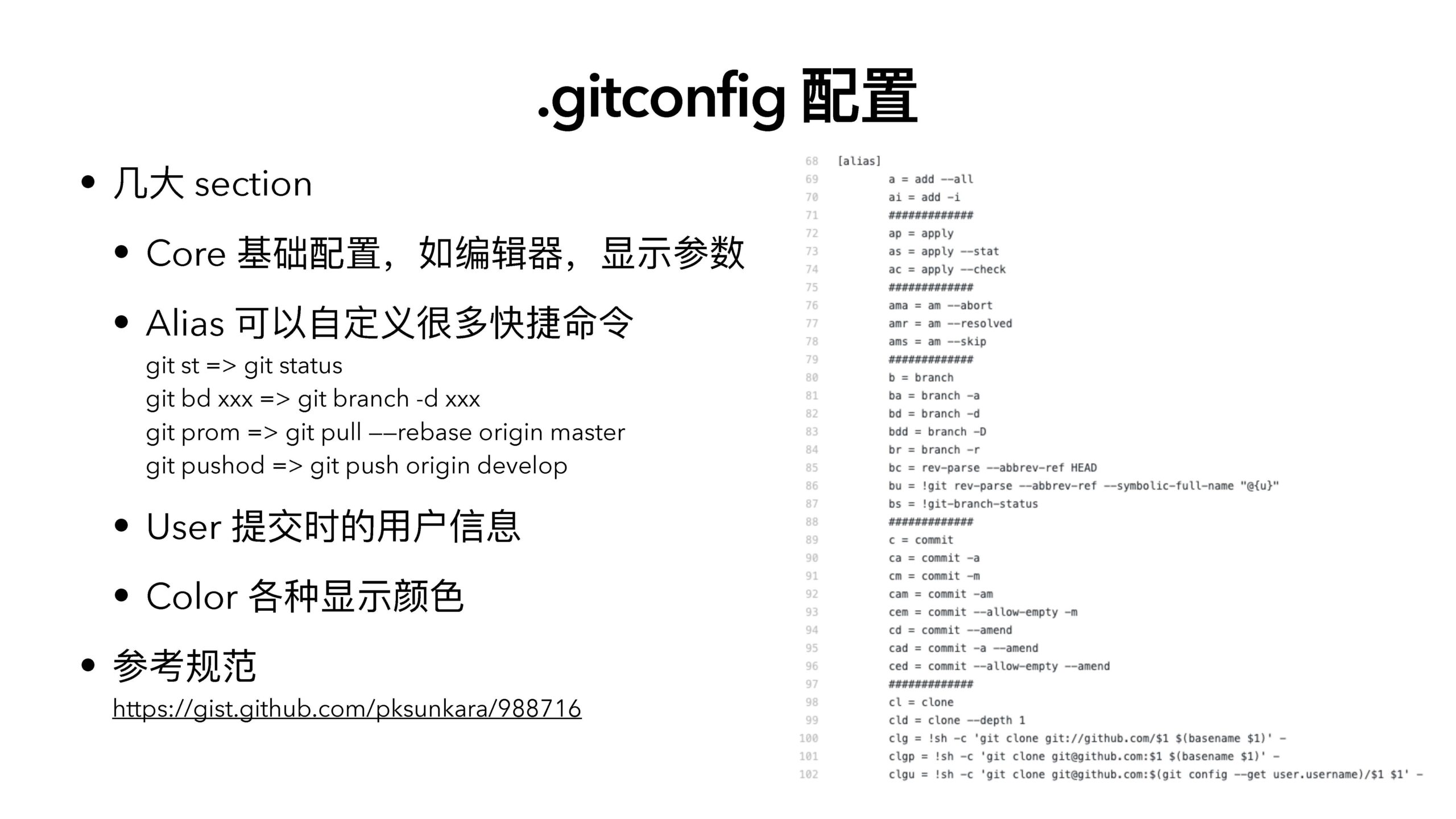
- 使⽤ ~/.gitconifg 配置去简化操作
- ⼏⼤ section
.gitconfig 配置
-
-
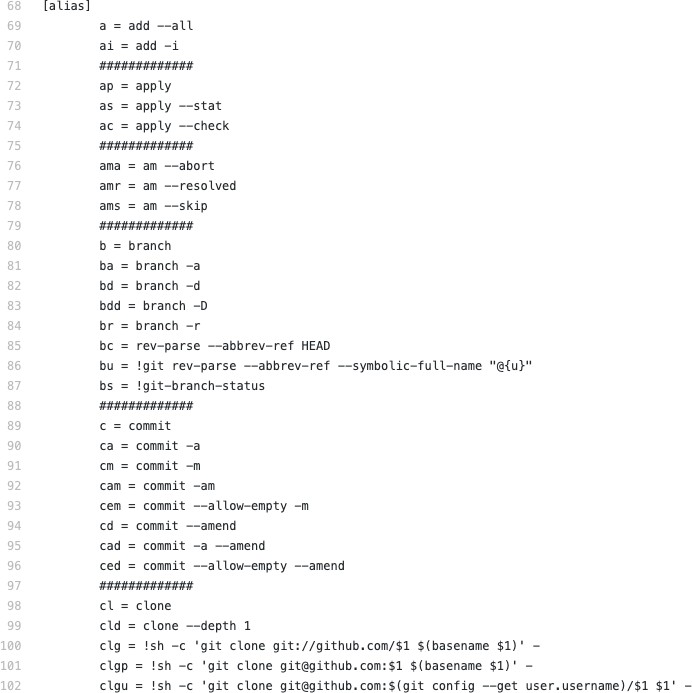 Core 基础配置,如编辑器,显示参数
- Alias 可以⾃定义很多快捷命令
-
git st => git status
git bd xxx => git branch -d xxx
git prom => git pull ——rebase origin master git pushod => git push origin develop
-
-
- User 提交时的⽤户信息
- Color 各种显示颜⾊
- 参考规范
-
https://gist.github.com/pksunkara/988716
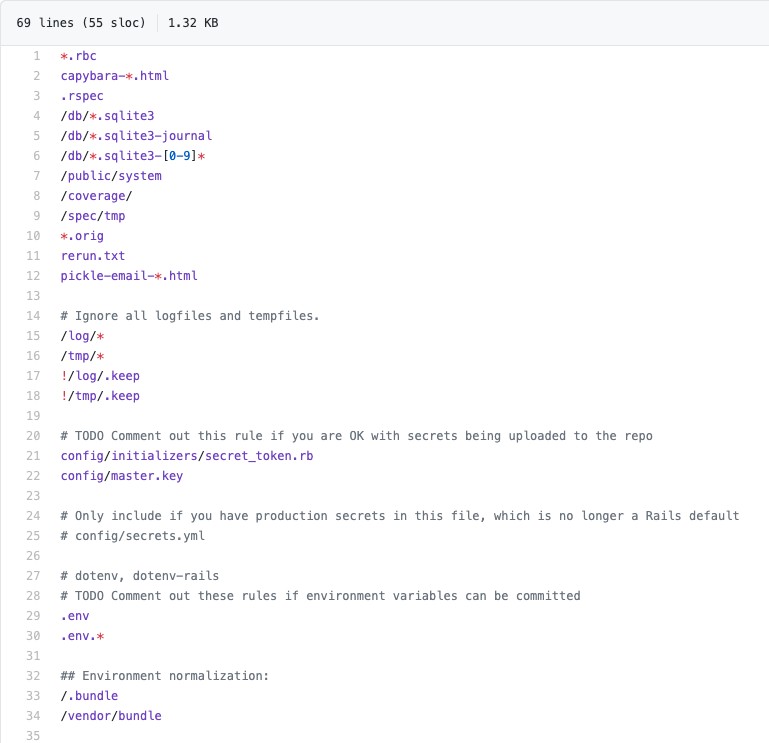 .gitignore 配置
-
- 很多示例 project 的 .gitignore
https://github.com/github/gitignore
-
- 可以ignore
- 本地配置⽂件
- 临时⽂件
- ⽇志⽂件
- 本地编辑器配置⽂件 .vscode
- 第三⽅的库本地缓存
- 本地 build出来的⽂件
- 可以⽤ .keep ⽂件去保留⽂件夹。
- 可以ignore
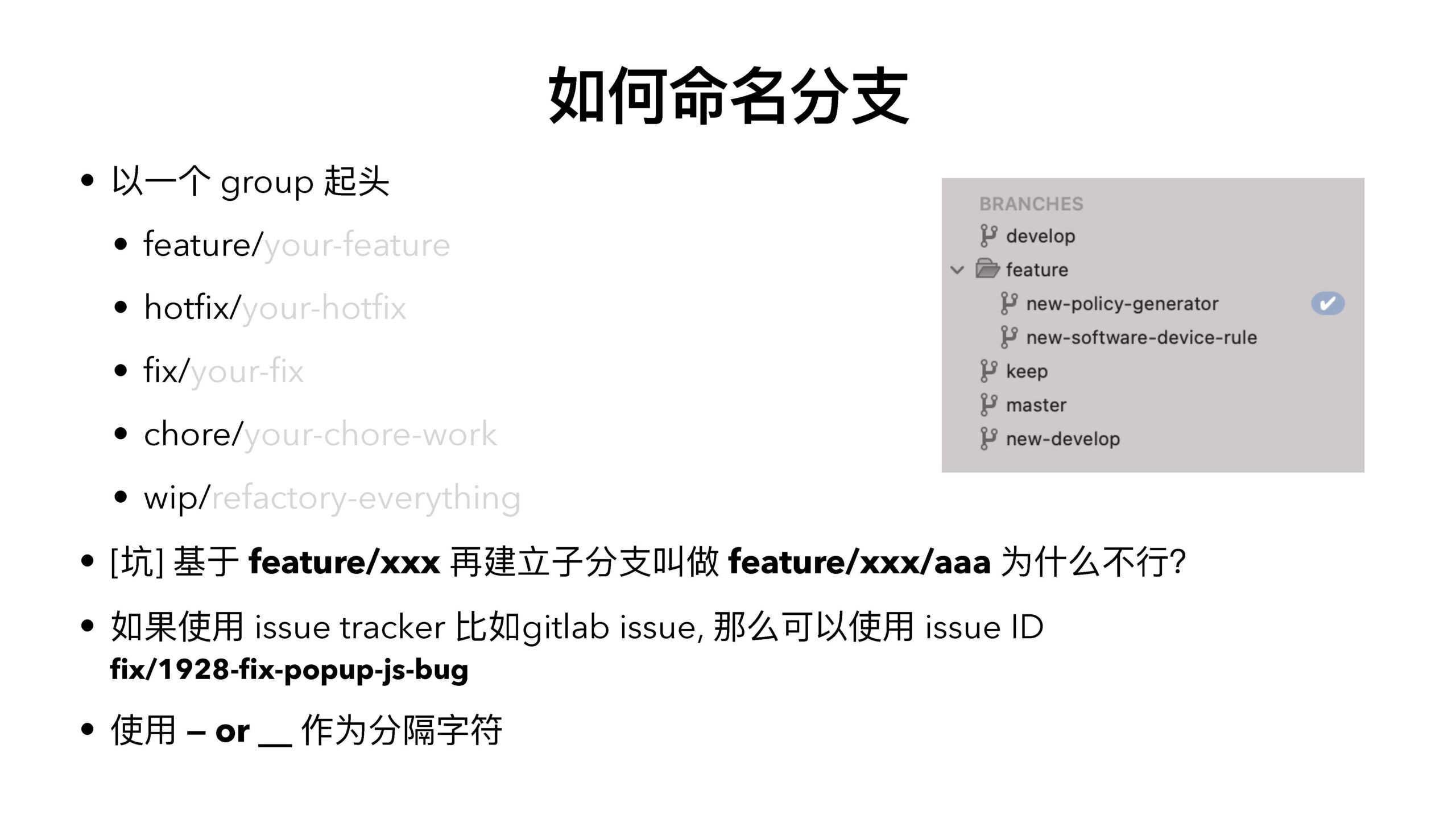
如何命名分⽀
-
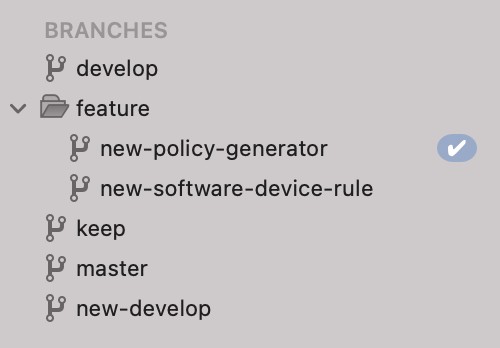 以⼀个 group 起头
- feature/your-feature
- hotfix/your-hotfix
- fix/your-fix
- chore/your-chore-work
- wip/refactory-everything
- [坑] 基于 feature/xxx 再建⽴⼦分⽀叫做 feature/xxx/aaa 为什么不⾏?
- 如果使⽤ issue tracker ⽐如gitlab issue, 那么可以使⽤ issue ID
fix/1928-fix-popup-js-bug
-
- 使⽤ — or
作为分隔字符

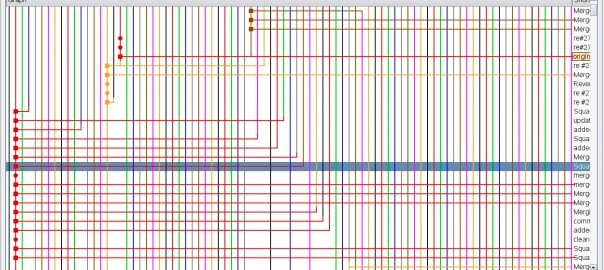


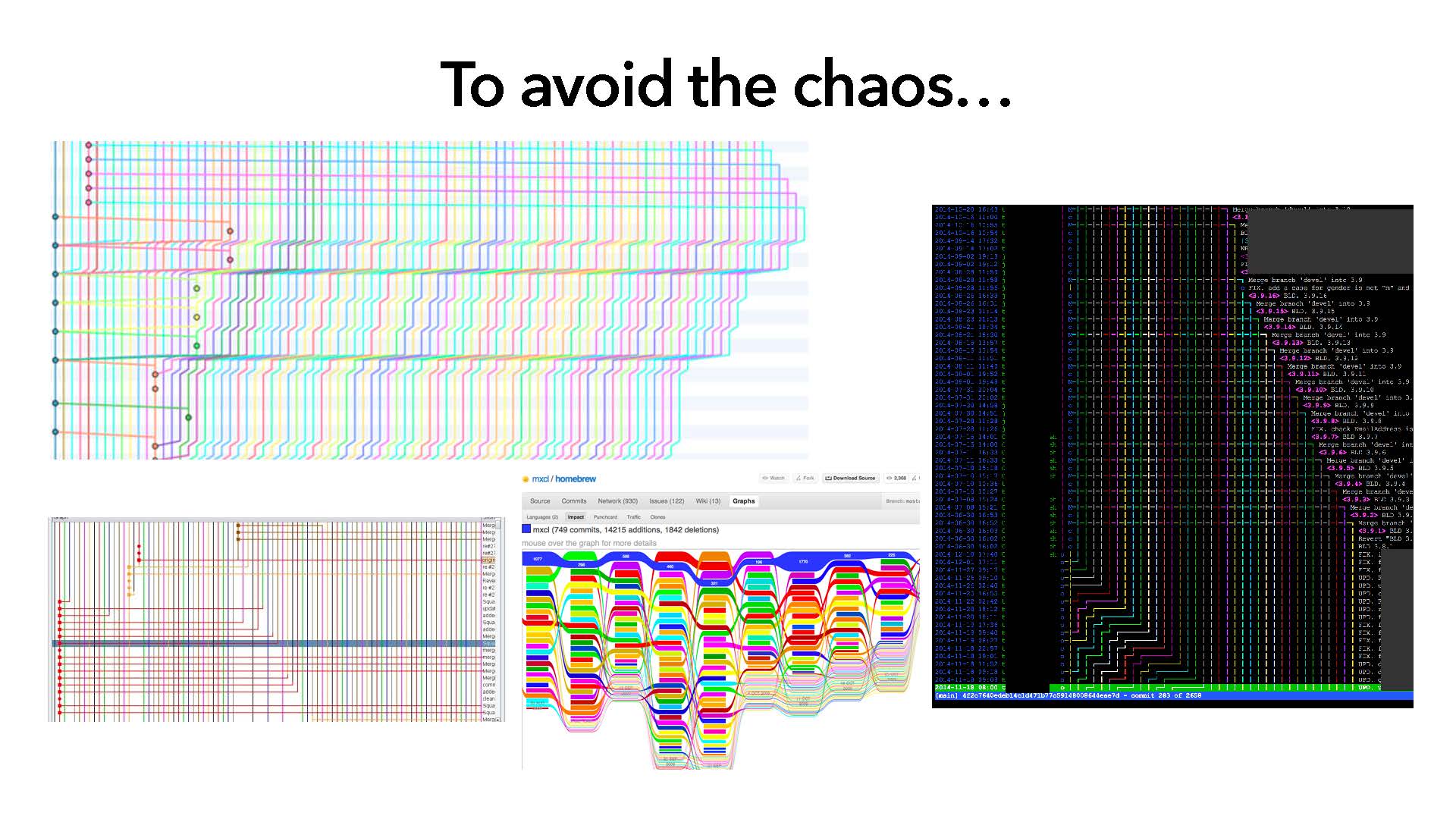
To avoid the chaos…
如何提交流程

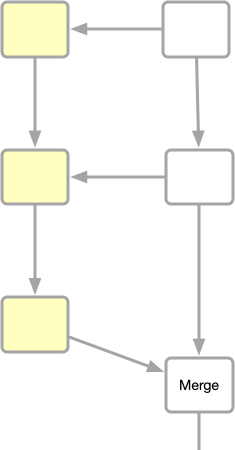
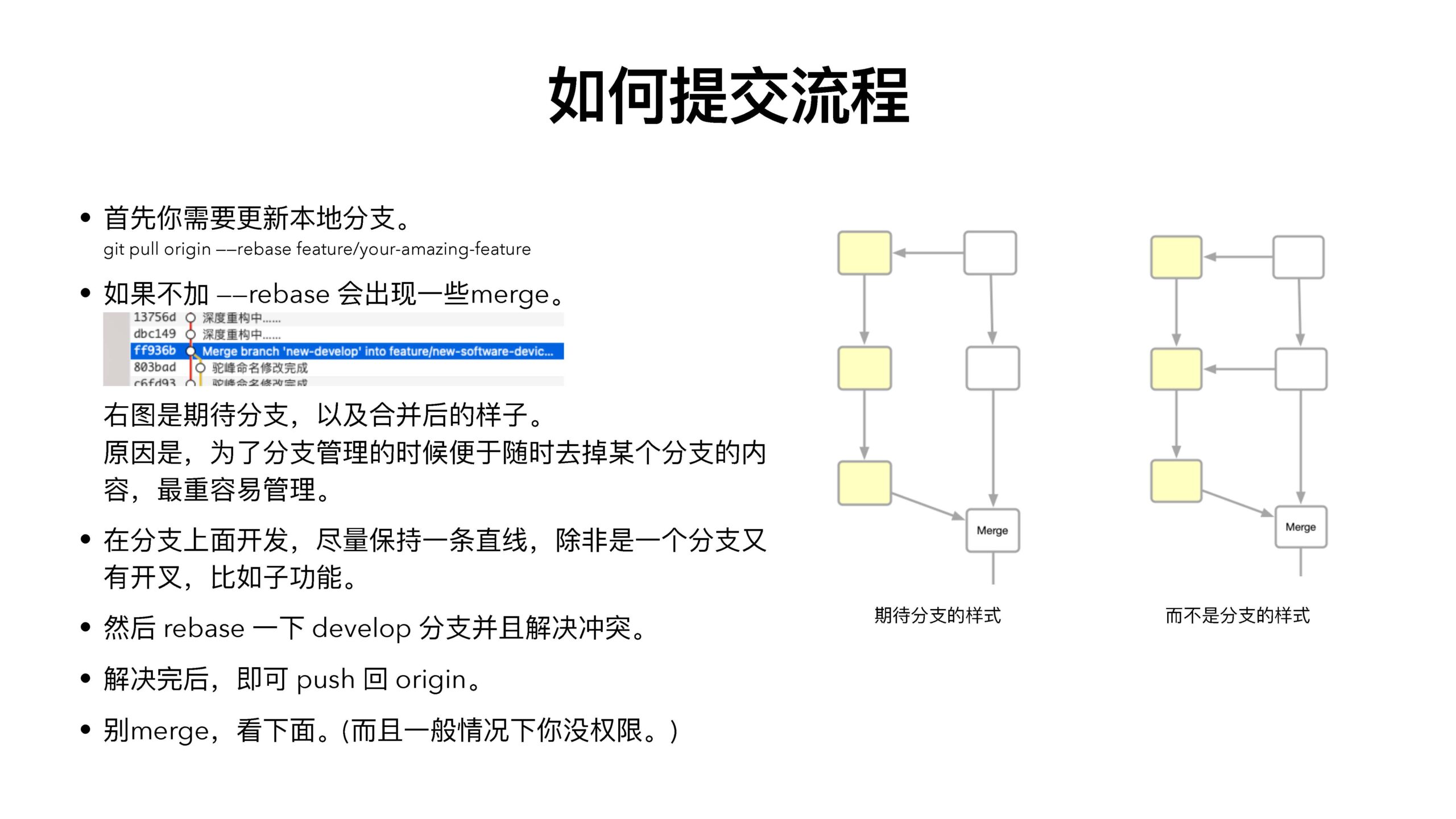
⾸先你需要更新本地分⽀。
git pull origin ——rebase feature/your-amazing-feature

如果不加 ——rebase 会出现⼀些merge。
右图是期待分⽀,以及合并后的样⼦。
原因是,为了分⽀管理的时候便于随时去掉某个分⽀的内容,最重容易管理。
-
- 在分⽀上⾯开发,尽量保持⼀条直线,除⾮是⼀个分⽀⼜有开叉,⽐如⼦功能。
- 然后 rebase ⼀下 develop 分⽀并且解决冲突。
- 解决完后,即可 push 回 origin。
- 别merge,看下⾯。(⽽且⼀般情况下你没权限。)
期待分⽀的样式 ⽽不是分⽀的样式
如何合并分⽀
-
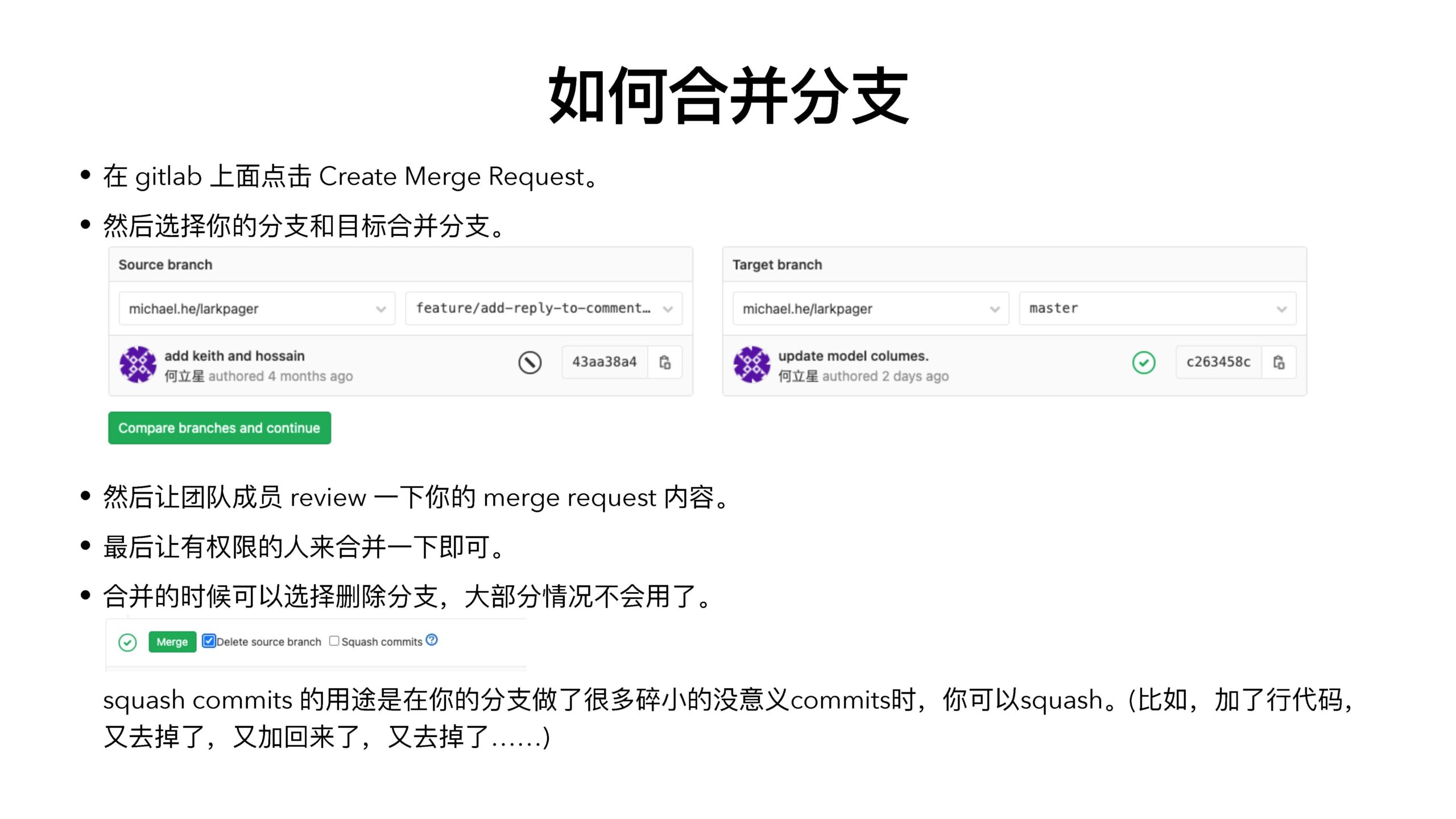
- 在 gitlab 上⾯点击 Create Merge Request。

- 然后选择你的分⽀和⽬标合并分⽀。
- 然后让团队成员 review ⼀下你的 merge request 内容。
- 最后让有权限的⼈来合并⼀下即可。
 合并的时候可以选择删除分⽀,⼤部分情况不会⽤了。
squash commits 的⽤途是在你的分⽀做了很多碎⼩的没意义commits时,你可以squash。(⽐如,加了⾏代码,
⼜去掉了,⼜加回来了,⼜去掉了……)
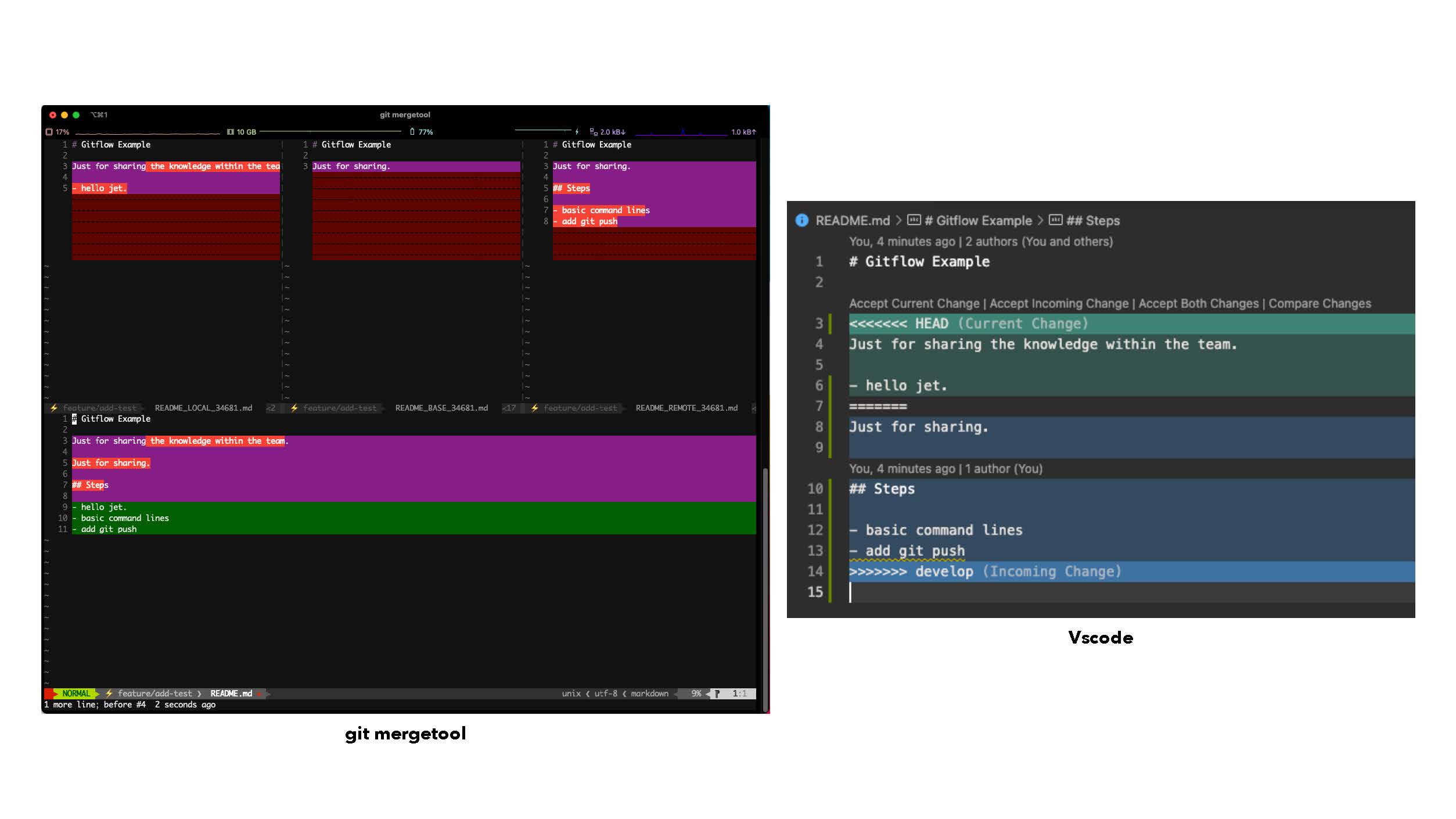
解决冲突流程
-
- 搜索所有的 “<<<<<<<<“ 就能找到所有的冲突的地⽅。
- 需要对本身修改的代码有所了解才能修复冲突。
- 修复完后最好要跑⼀下测试。
- 如果发现不明⽩的地⽅最好找⼀下那个分⽀的作者,⼀些商讨⼀下。
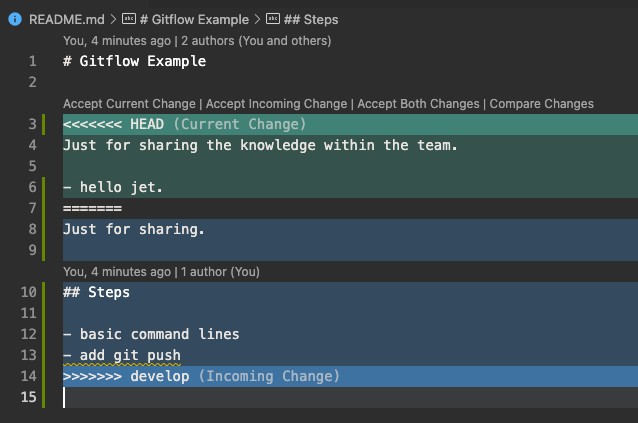

git mergetool
Vscode
如何发布
-
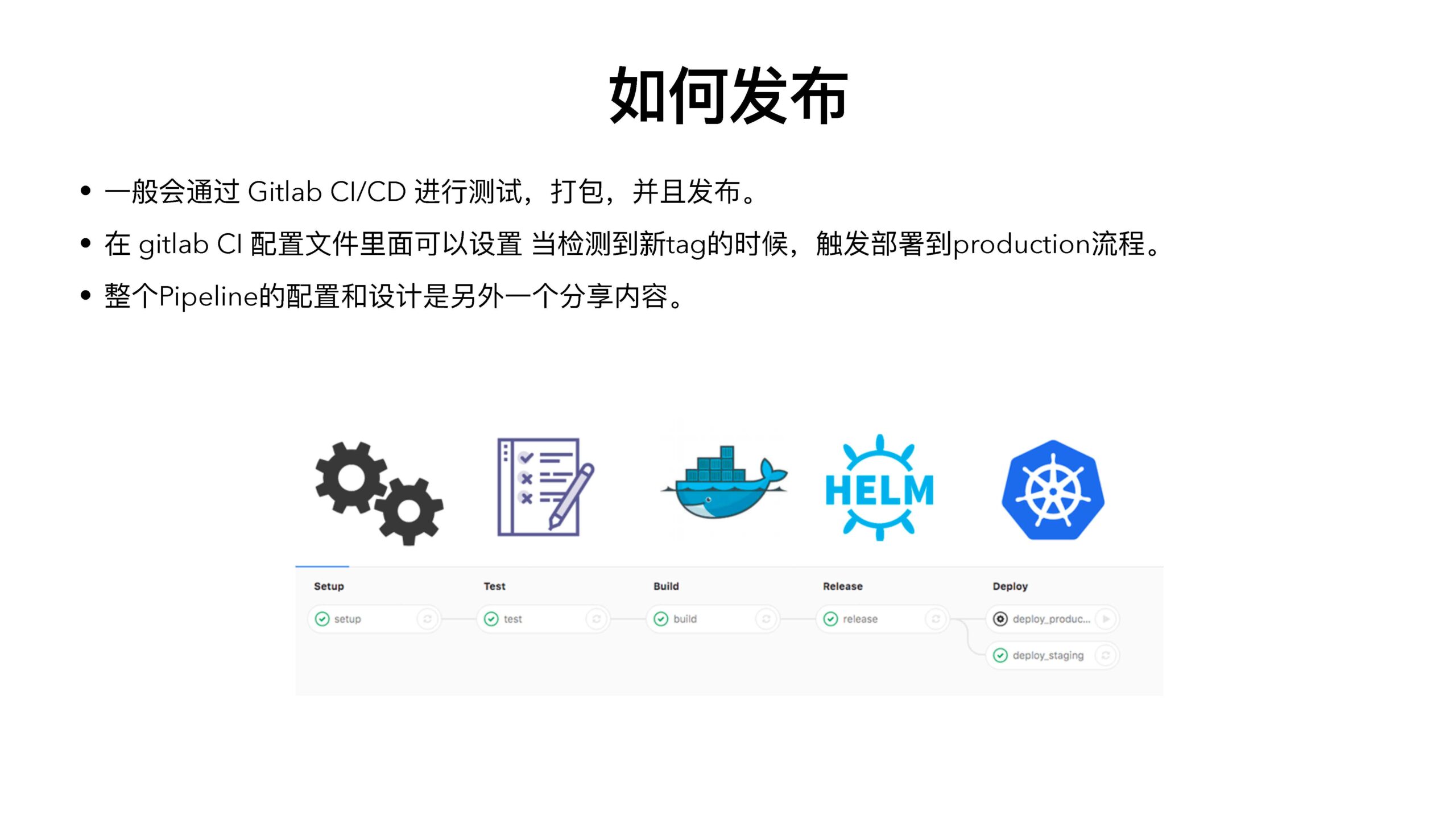
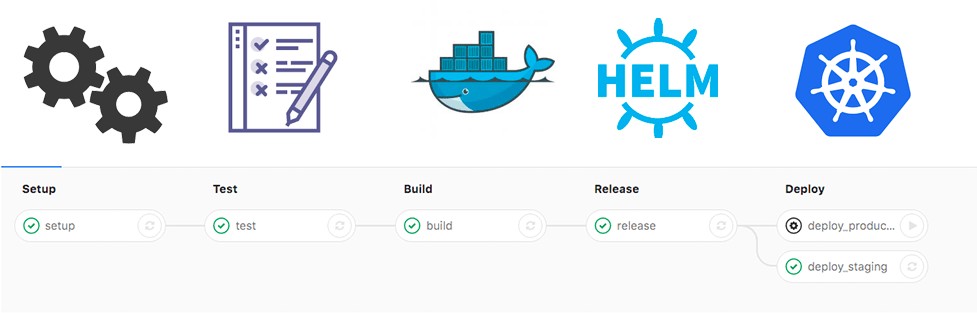
- ⼀般会通过 Gitlab CI/CD 进⾏测试,打包,并且发布。
- 在 gitlab CI 配置⽂件⾥⾯可以设置 当检测到新tag的时候,触发部署到production流程。
- 整个Pipeline的配置和设计是另外⼀个分享内容。

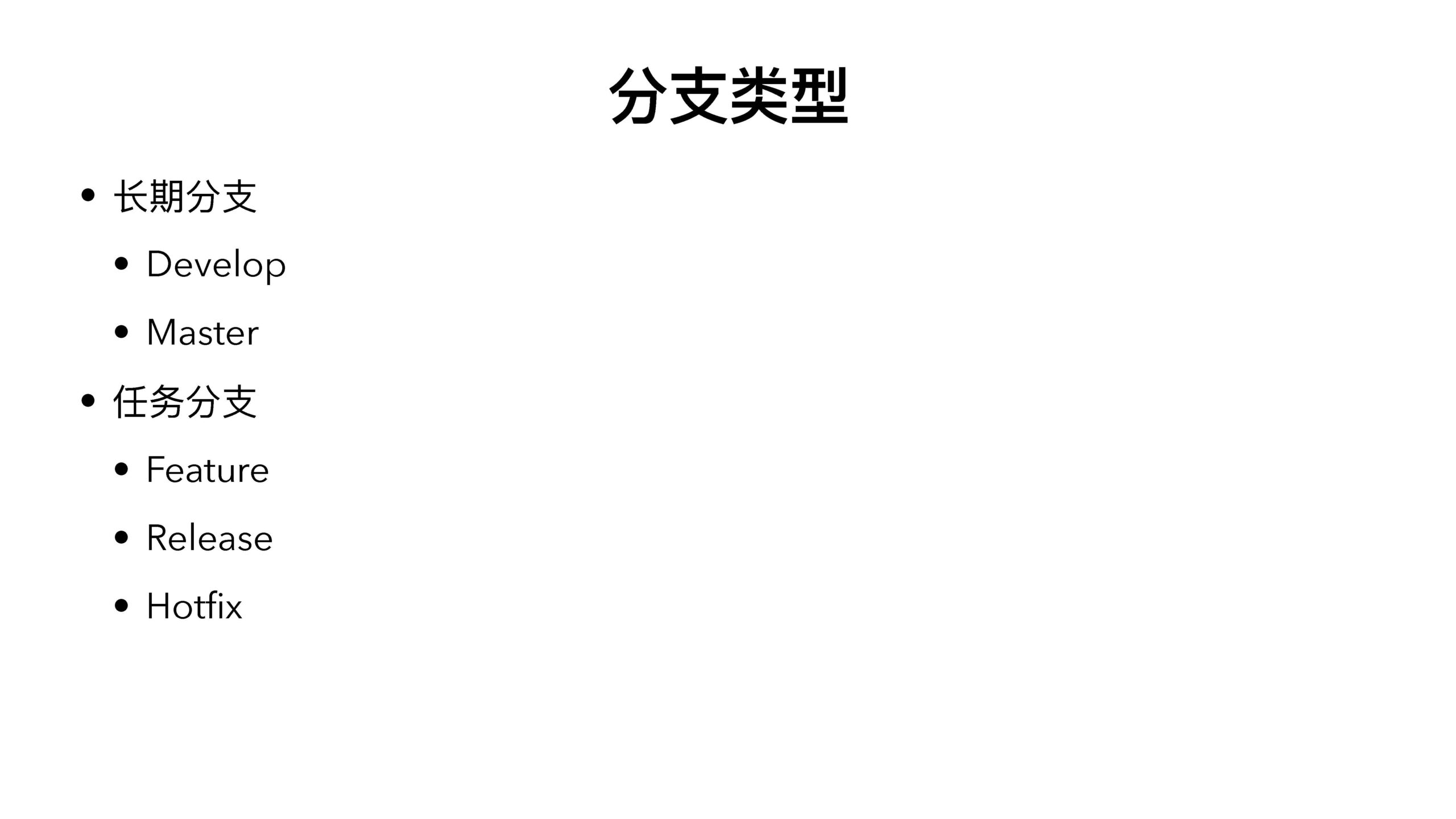
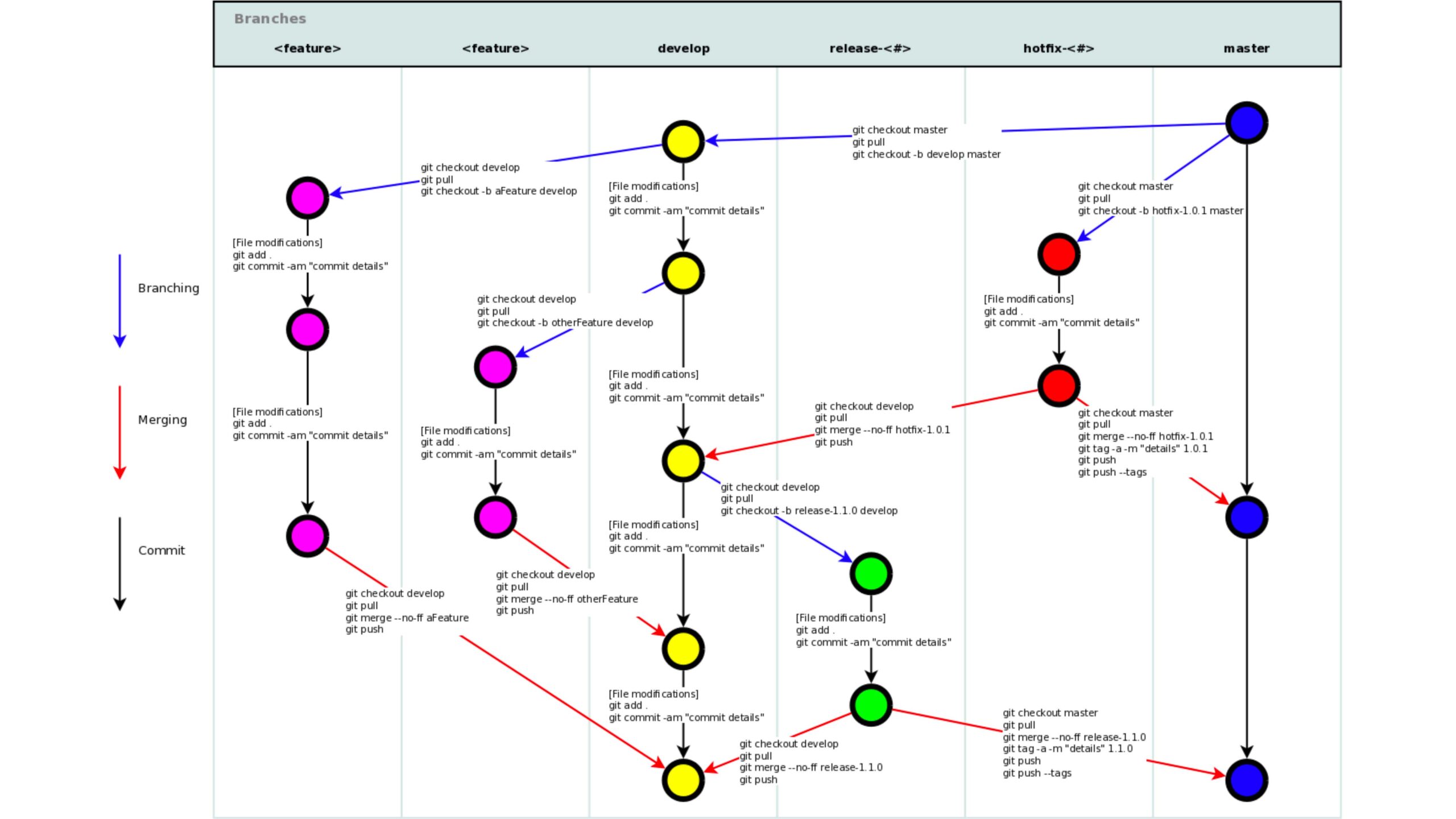
分⽀类型
-
- ⻓期分⽀
- Develop
- Master
- 任务分⽀
- Feature
- Release
- Hotfix
- ⻓期分⽀
Branches
<t'e雹ture> <fe霾ture> develop rele遍se-<#> hotfflx-<#> m遇ster

git checkout develop git pull
git checkout -b afeatu「e de.ve|op
<


[Fi1e modifi岱tion5] git add.
git checkout master git pull
git che c·kout - b d的elop master
git checkout ma式er


[ FiIe mod ifi歹廿on5] git add.

git commit -am 11commit detaiis11

git commit -am "commit detaiis11
git checko顷develop git pull
git chec:ko顷-b oth可Fe或ure d盯elop
out-b ho甘i x-1.0.1 master
[FiIe mod ifi Cd廿ons] git add.
git pull
git commit -am 11commit de扫ils"
Merging
[ FiIe mod ifi岱廿ons] git add.
git commit -am "commit detaiis"
[File modifi C忒jons] git add.
git commit-am 11commit details11
[FiI e mod iti rations] git add.
git commit -am "commit de垣ils"
git checkout de.velop git pull
gitm可ge --no.ff hotfi.!(-1.0.1 git push
git checkout ma吐er git pull
git merge --no-ff hotfix-1.0.1 git tag-a -m 11d过ails111.0.1 git push
git push --tags
[FiI e mod ifi rations] git add.
git checko皿develop git pull
git checko屯-b re|ea5e-1.1.0 deveIop
Commit
git commit -am "commit detaiis"
git checkout develop git pull
git merge --no-ff aFe或u芘git push
git checkout d巴elop git pull
gitm可ge --no-ff忒herFe砒ure git push
[
[ FiIe mod ifi ca廿on5] git add.
git commit -am "commit de访ils"
[File modifi句tions] git add.
git commit -am "commit detaiis"
git checkout d git pull
印elop
git che改out ma式er git pull
 git me「ge --110-ff r它lease-1.1.0 git tag -a -m "details" 1.1. 0
git push
git merge --no-ff release-1. l.O
Ii git push
git push --tags
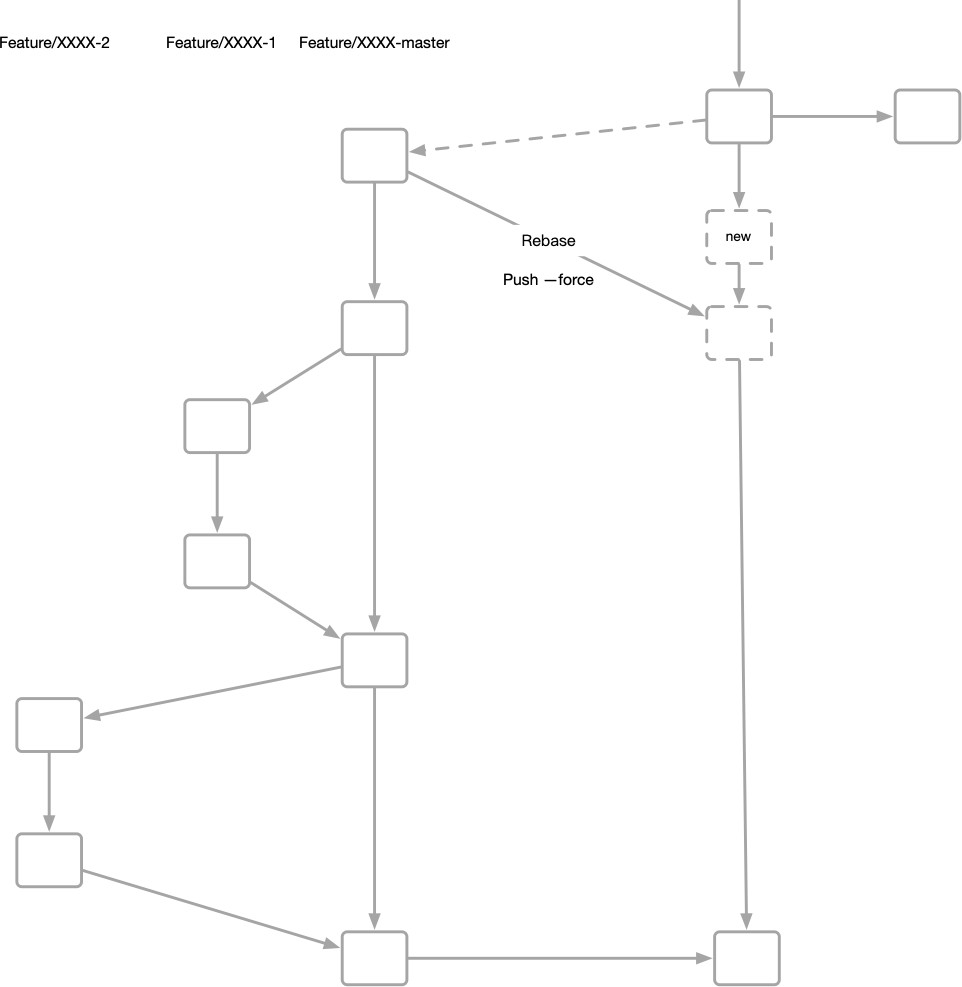
- 当多⼈在同⼀个feature上协作的时候,可以考虑在feature分
⽀上⾯再开分⽀。
- 在合并到 develop 分⽀之前,需要将所有的⼦分⽀合并后再合并到 develop 分⽀。

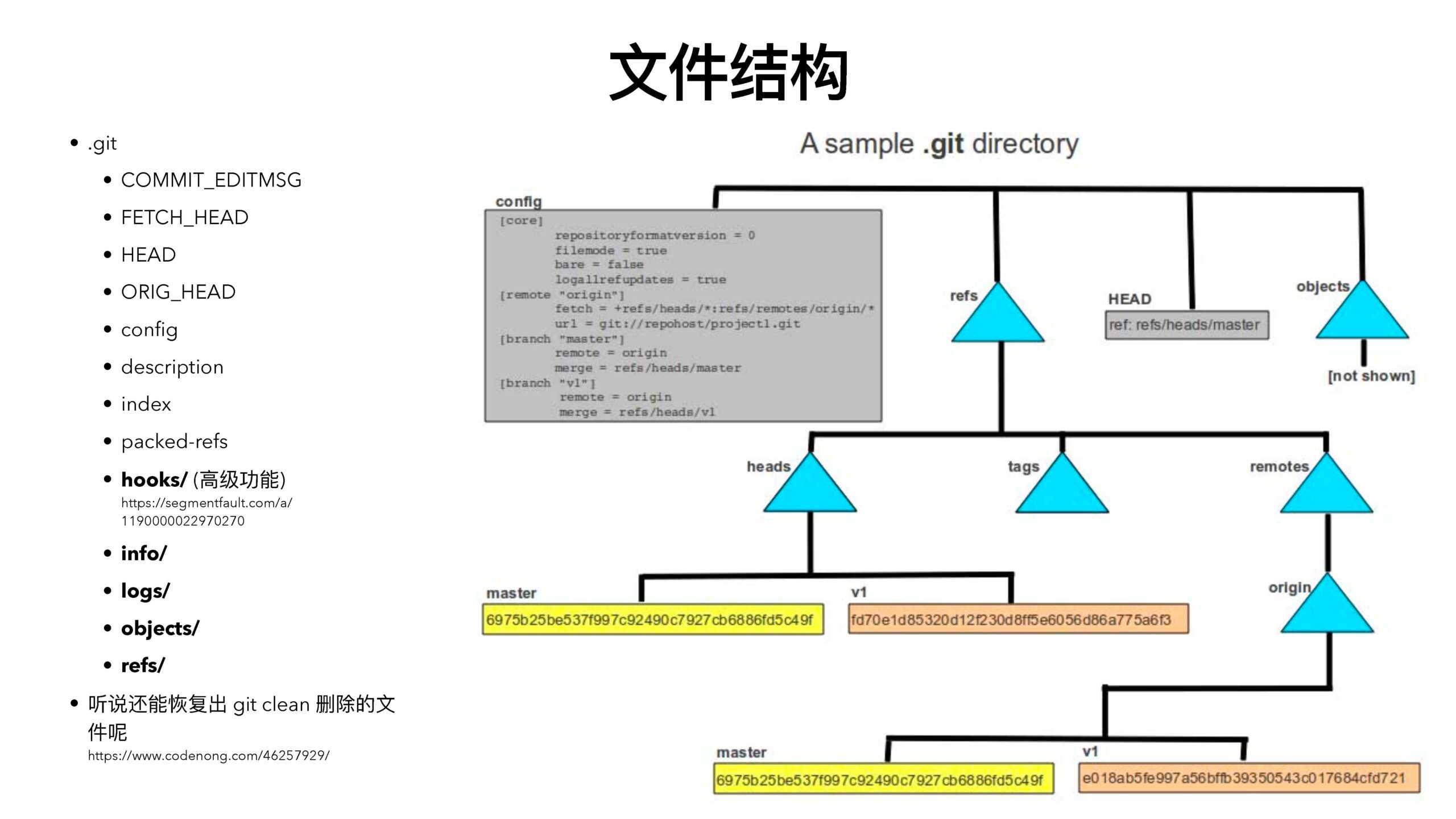
⽂件结构
-
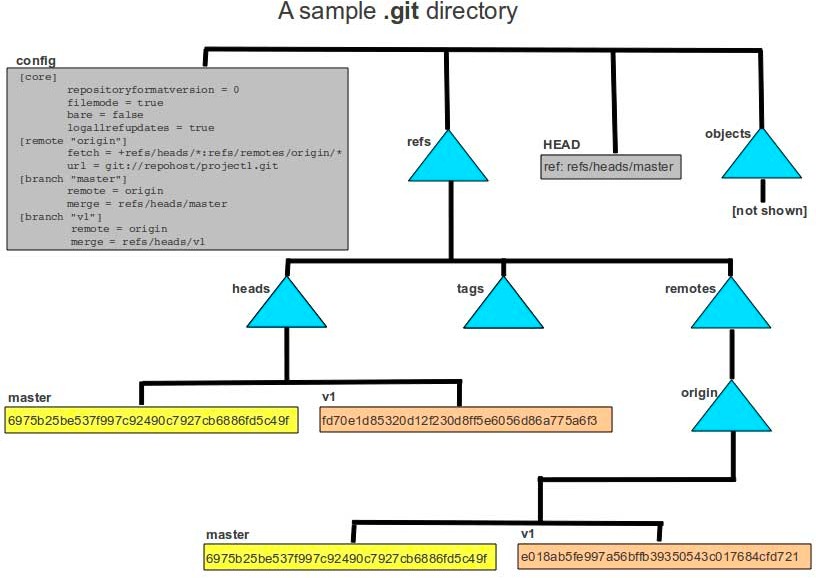 .git
.git
- COMMIT_EDITMSG
- FETCH_HEAD
- HEAD
- ORIG_HEAD
- config
- description
- index
- packed-refs
- hooks/ (⾼级功能)
https://segmentfault.com/a/
1190000022970270
- info/
- logs/
- objects/
- refs/
- 听说还能恢复出 git clean 删除的⽂件呢
https://www.codenong.com/46257929/
-
- HEAD
- config
- description
- COMMIT_EDITMSG
- FETCH_HEAD
- ORIG_HEAD
- index
- packed-refs
- Hooks/
- info/
- logs/
- objects/
- refs/
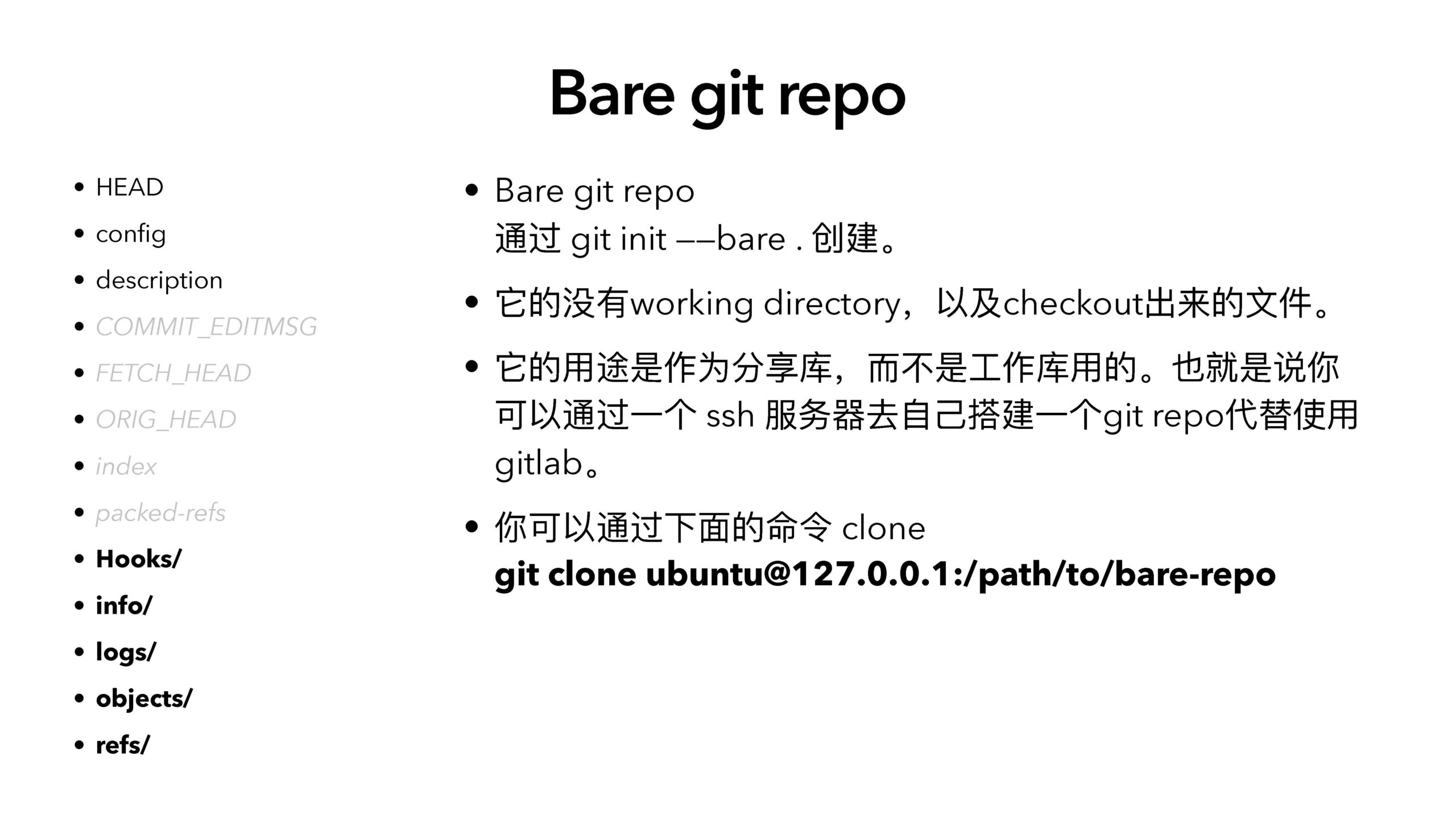
Bare git repo
- Bare git repo
通过 git init ——bare . 创建。
- 它的没有working directory,以及checkout出来的⽂件。
- 它的⽤途是作为分享库,⽽不是⼯作库⽤的。也就是说你可以通过⼀个 ssh 服务器去⾃⼰搭建⼀个git repo代替使⽤gitlab。
- 你可以通过下⾯的命令 clone
git clone ubuntu@127.0.0.1:/path/to/bare-repo

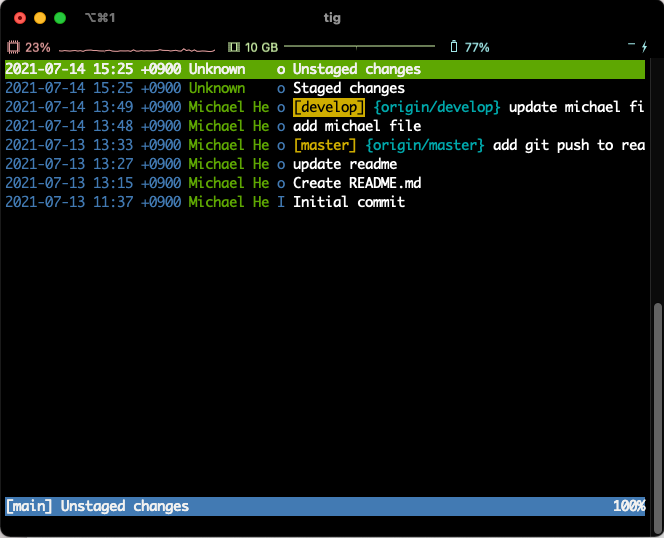
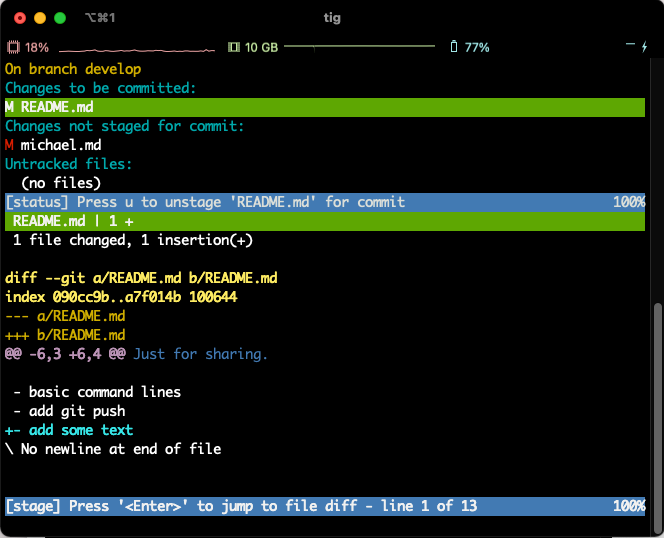
Tig
Command Line Git management tool
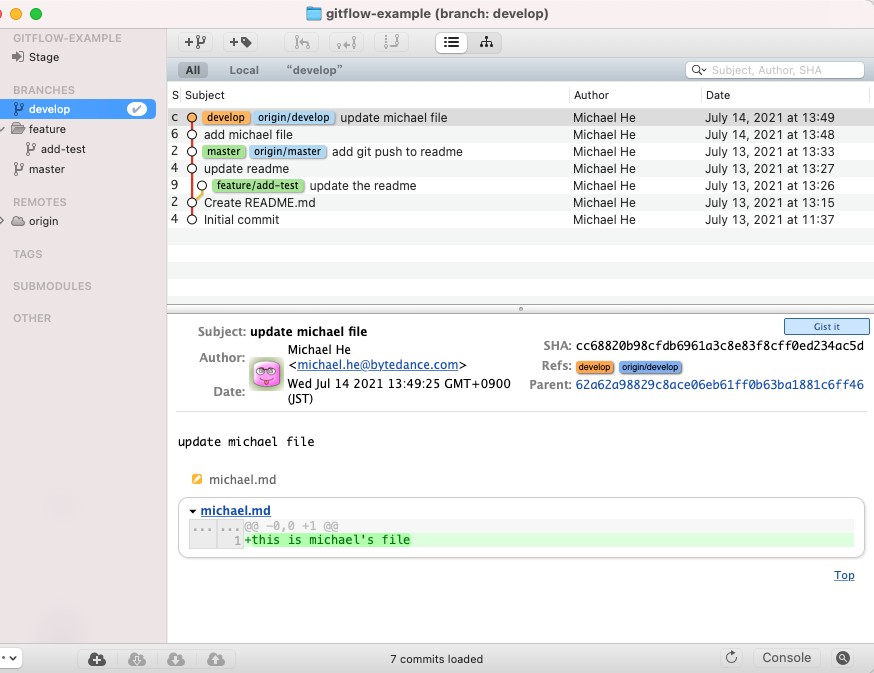
Gitx
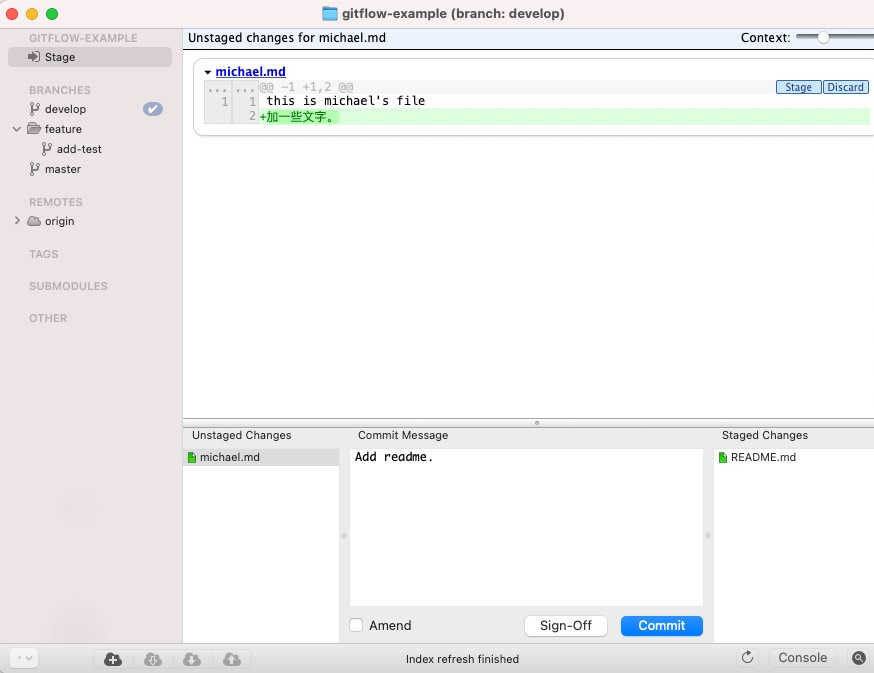 Free GUI Git management tool
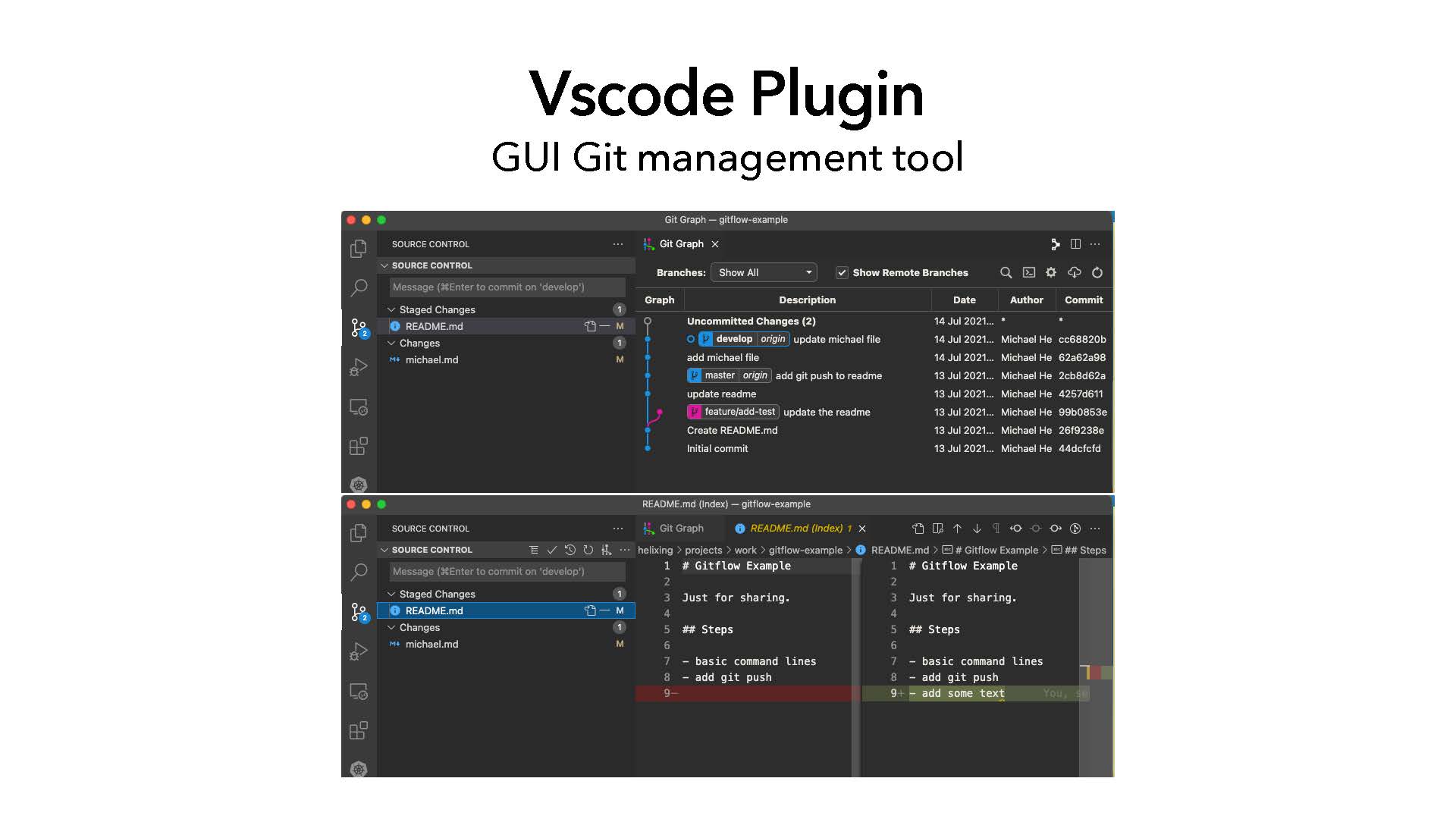
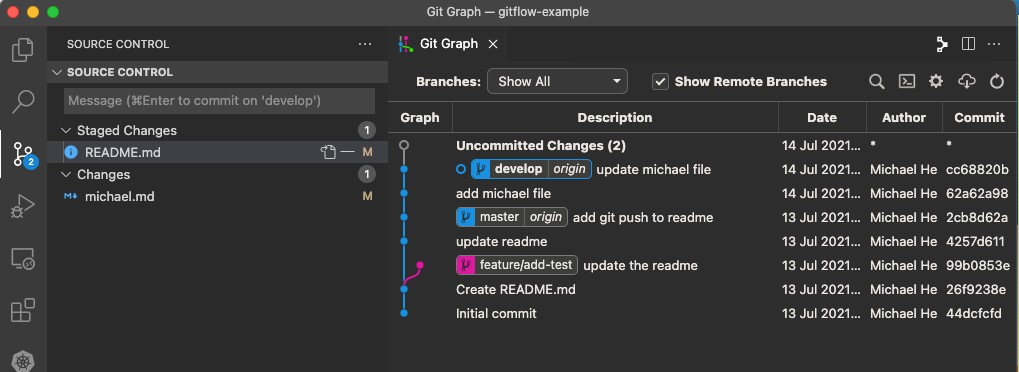
Vscode Plugin
GUI Git management tool
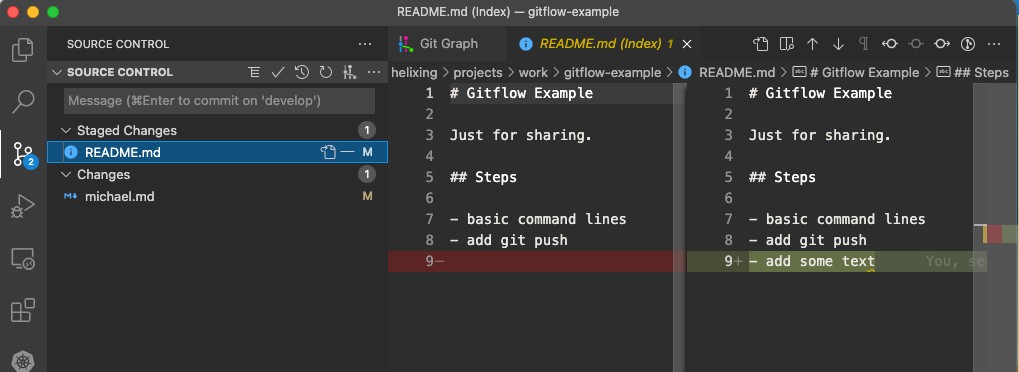
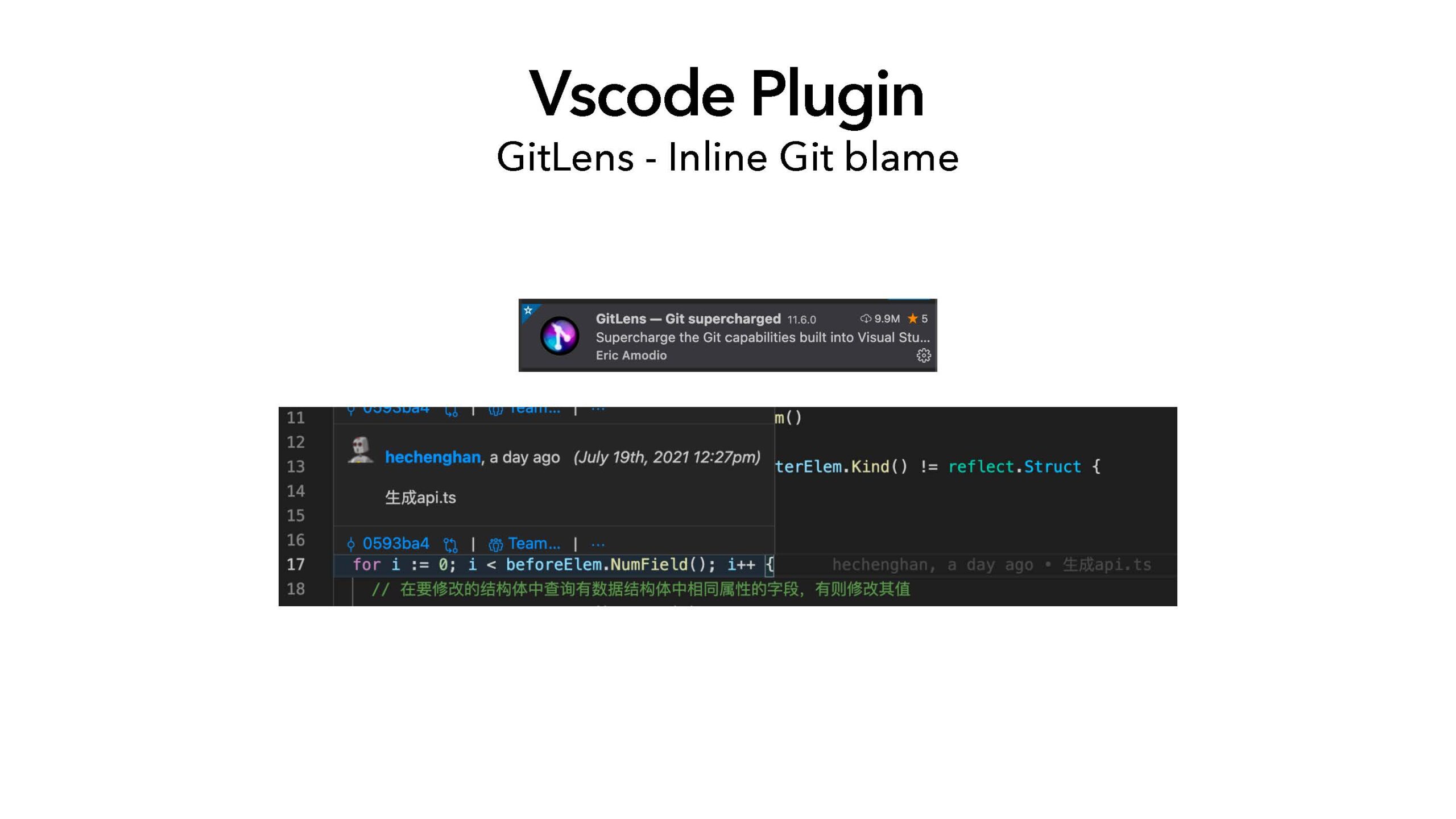
Vscode Plugin
GitLens - Inline Git blame